What can I see on the 'Shipment Freight Charges' page?
The Shipment Freight Charges page shows the shipping charges applied to each of your shipments. For every AWB, you can see:
Shipment Details – AWB number, Order ID, ship date, courier partner, and payment mode (COD/Prepaid).
Status – The current shipment status.
Weight Details – The weight entered while booking, the package dimensions, and the final chargeable weight.
Charges – The applied amount, extra weight charges, final charged amount, and any amount on hold.
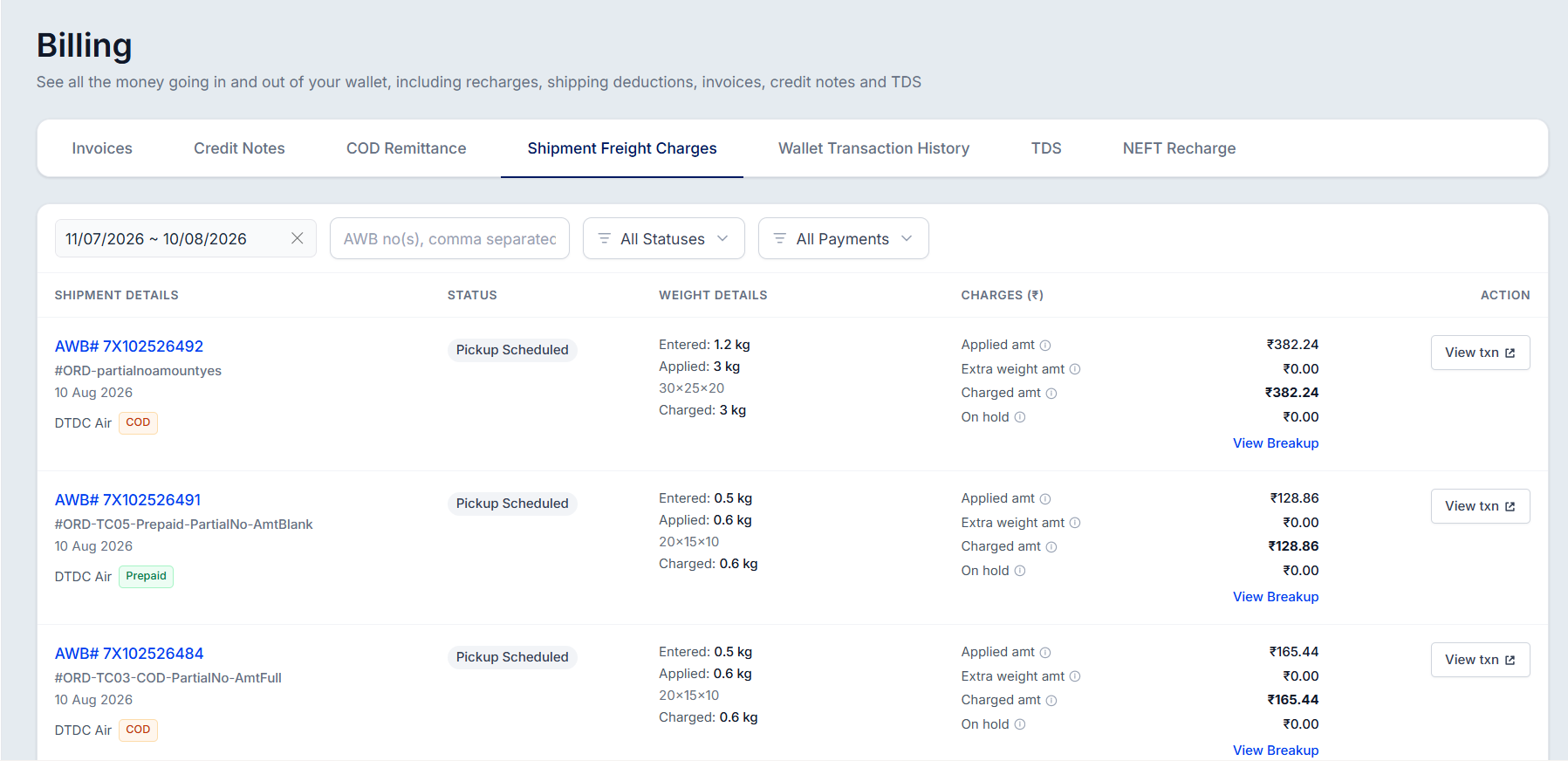
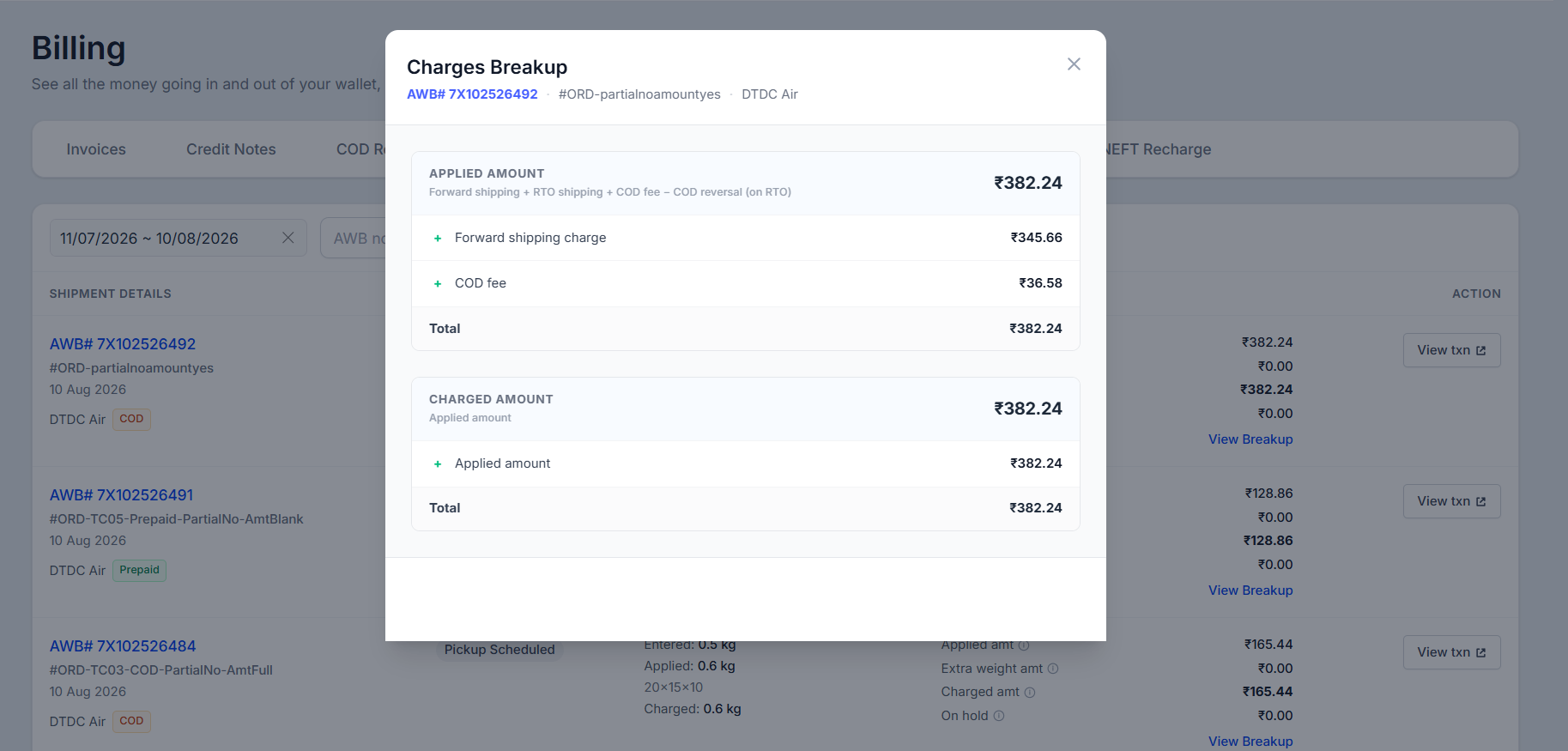
To see exactly how a charge is calculated, click View Breakup. It shows each component of the total, such as:
Forward shipping charge – The cost of delivering the shipment to your customer.
RTO shipping charge – The return cost, applied if the shipment comes back to you.
COD fee – The charge for cash collection on COD orders.
COD reversal – The reversed COD fee if the shipment is returned and no cash was collected.
To see every debit and credit for a shipment, click View Txn button; it opens the Wallet Transaction History filtered to that AWB number.
You can also filter shipments by date range, AWB number, status, and payment mode.
Was this article helpful?
That’s Great!
Thank you for your feedback
Sorry! We couldn't be helpful
Thank you for your feedback
Feedback sent
We appreciate your effort and will try to fix the article