What are labels and which label format should I choose for my business?
A shipping label contains all the information needed to deliver your order, including the AWB number, customer address, and courier details. To generate one:
Select one or more orders from the Orders page.
Use the Generate Label button at the top of the screen.
Download the generated label(s) and print them.
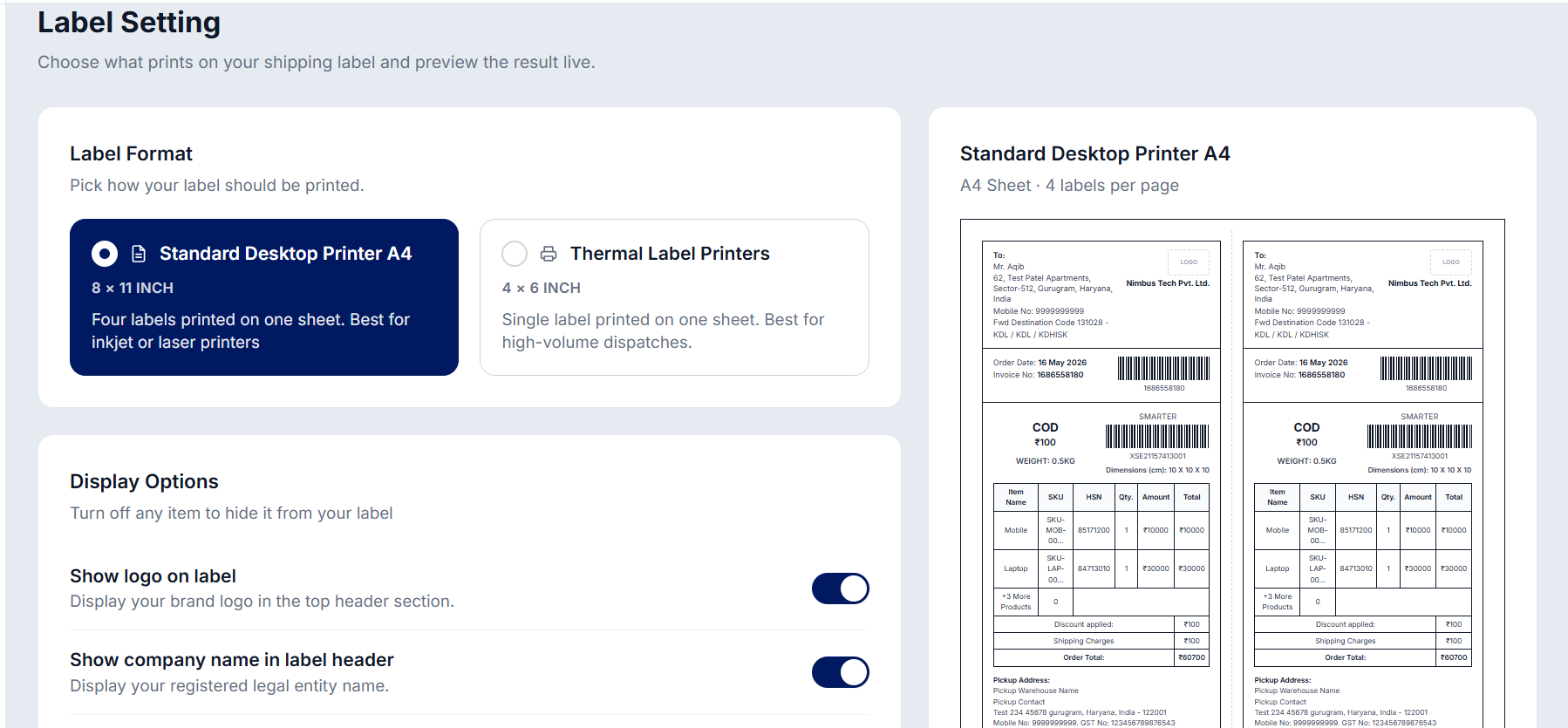
NimbusPost offers two label formats under Label Setting:
Standard Desktop Printer (A4) - 8 x 11 inch sheet, fits four labels per page. Best for inkjet or laser printers.
Thermal Label Printers - 4 x 6 inch, single label per page. Best for high-volume dispatches.
You can also customize what appears on your shipping label. Choose whether to show your brand logo, company name, support mobile number and email, and OTP badge. You can also hide details such as warehouse information (pickup/RTO address, contact details, GST number, etc.) and product information (SKU, product name, HSN, quantity, price, shipping charges, and more) based on your preference
Was this article helpful?
That’s Great!
Thank you for your feedback
Sorry! We couldn't be helpful
Thank you for your feedback
Feedback sent
We appreciate your effort and will try to fix the article