What is the 'Invoice Settings' feature used for?
An invoice is generated for every order and shared with your customer as proof of purchase — it lists item details, pricing, taxes, and your business information. NimbusPost's Invoice Settings let you control what appears on it and how it's printed.
You can set an invoice number prefix and choose between two print formats:
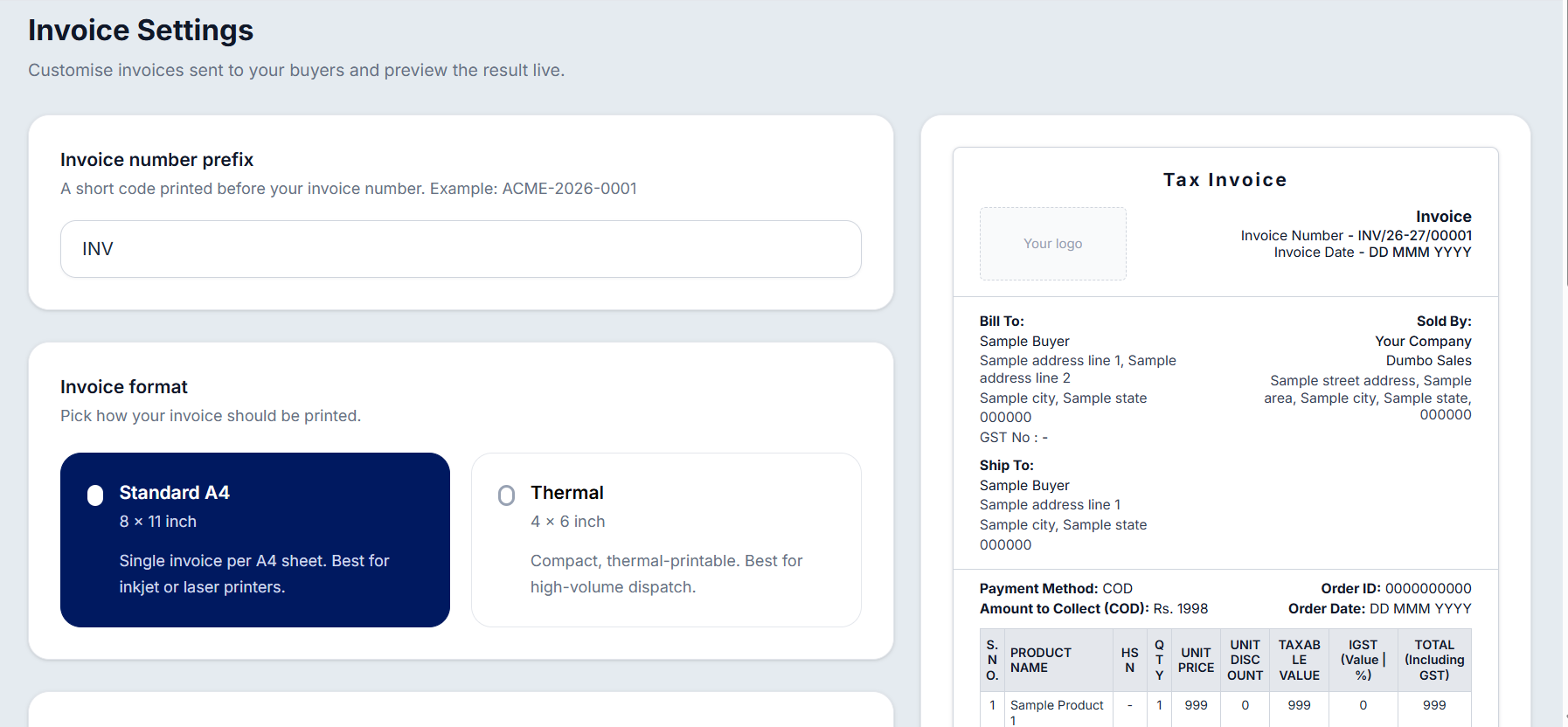
Standard A4 - designed for regular inkjet or laser printers; prints one invoice per A4 sheet.
Thermal - compact, thermal-printer-friendly format ideal for businesses handling a high volume of shipments.
Under Display Options, you can customize what shows on the invoice:
Show company name in invoice header — displays your registered legal entity name.
Show logo on invoice — displays your brand logo in the top header section (picked automatically from your Company Details).
Show signature on invoice footer — displays your company signature in the invoice footer.
You can also add Footer Remarks — optional text shown at the bottom of every invoice, such as your return policy (e.g., "Returns accepted within 7 days").
Was this article helpful?
That’s Great!
Thank you for your feedback
Sorry! We couldn't be helpful
Thank you for your feedback
Feedback sent
We appreciate your effort and will try to fix the article