How can I generate manifests, invoices, and labels?
1. Select one or more orders from the Orders page.
2. Use the Generate Manifest, Generate Invoice, or Generate Label buttons at the top of the screen.
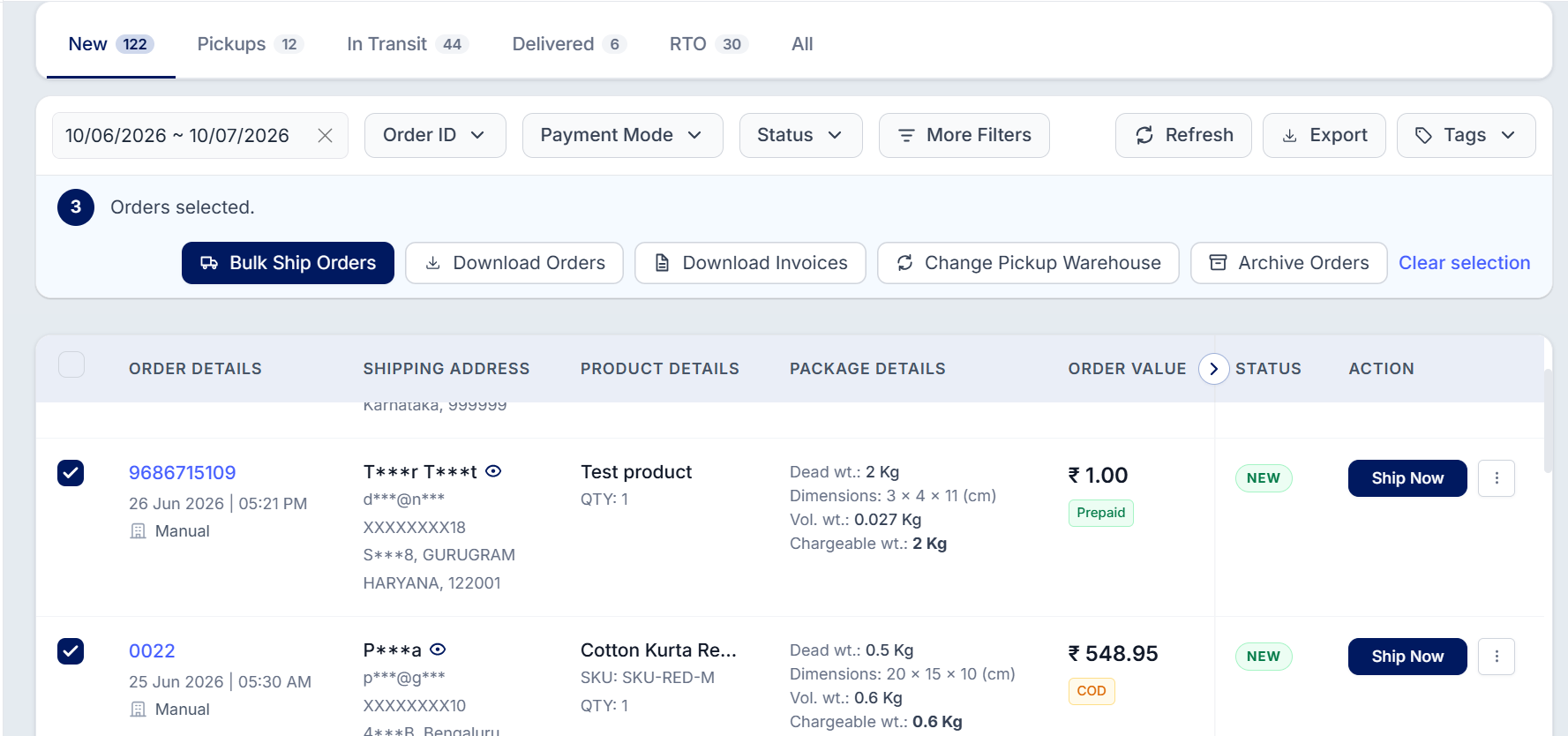
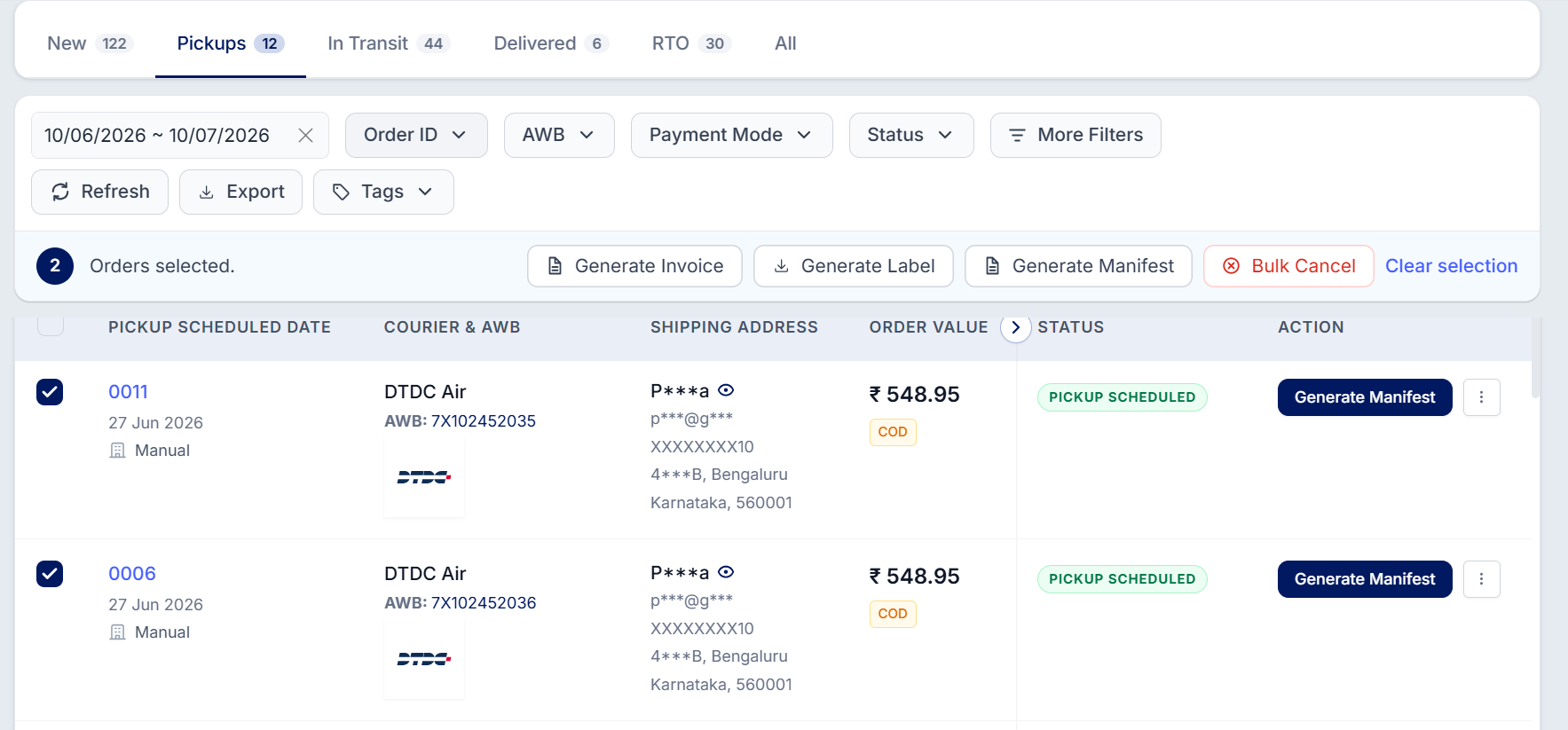
3. Download the generated document(s) for the selected order(s).
Was this article helpful?
That’s Great!
Thank you for your feedback
Sorry! We couldn't be helpful
Thank you for your feedback
Feedback sent
We appreciate your effort and will try to fix the article