What can I see in the wallet transaction page ?
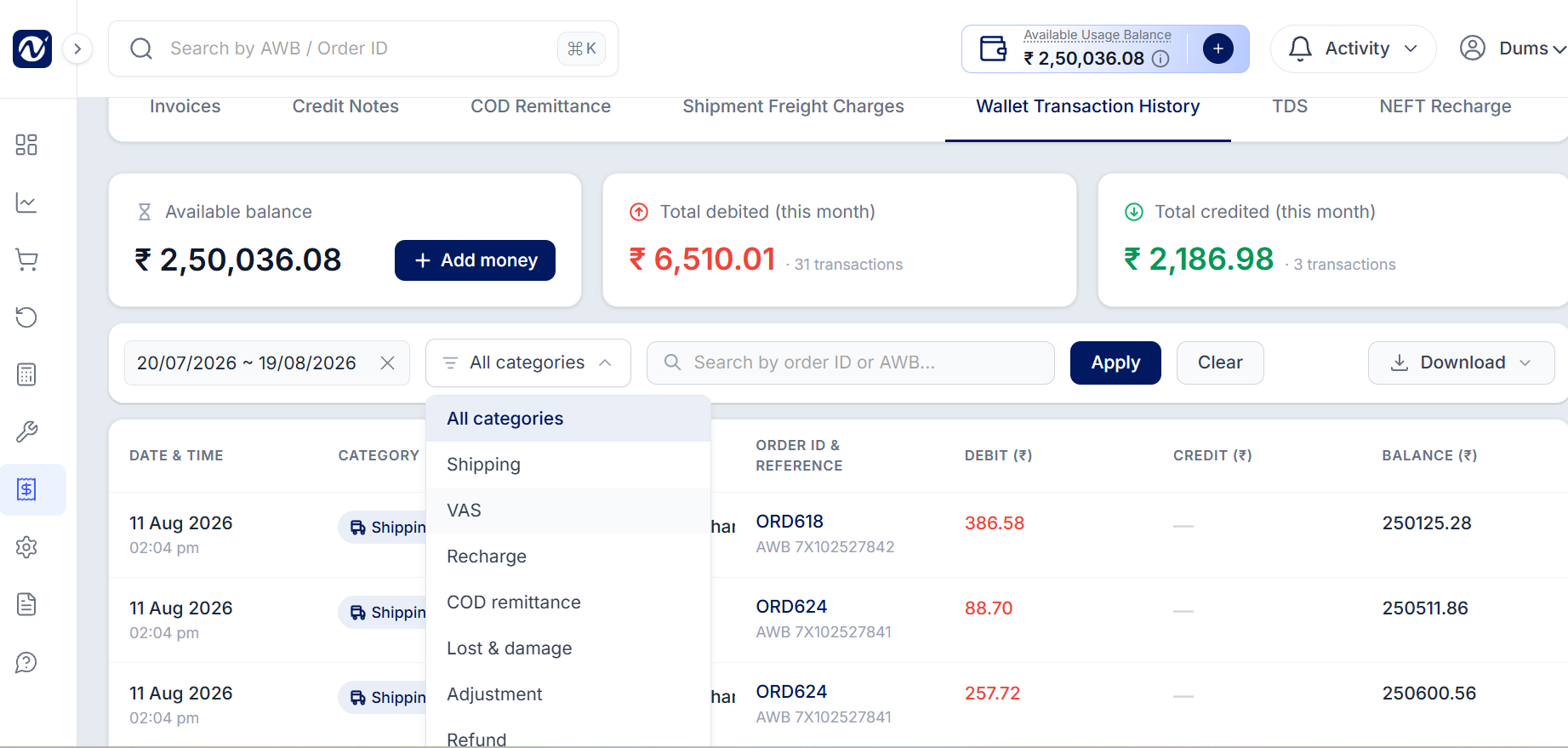
The Wallet Transaction History page shows all the money added to or deducted from your wallet for your orders/AWBs.
You can use the Category filter to view transactions by type, including:
Shipping – Shipping charges for your orders.
VAS – Charges for extra services.
Recharge – Money added to your wallet.
COD Remittance – COD payments received in your wallet.
Lost & Damage – Charges or credits for lost or damaged shipments.
Adjustment – Manual changes made to your wallet balance.
Refund – Money refunded to your wallet.
Was this article helpful?
That’s Great!
Thank you for your feedback
Sorry! We couldn't be helpful
Thank you for your feedback
Feedback sent
We appreciate your effort and will try to fix the article