What is the NDR screen and what does it show?
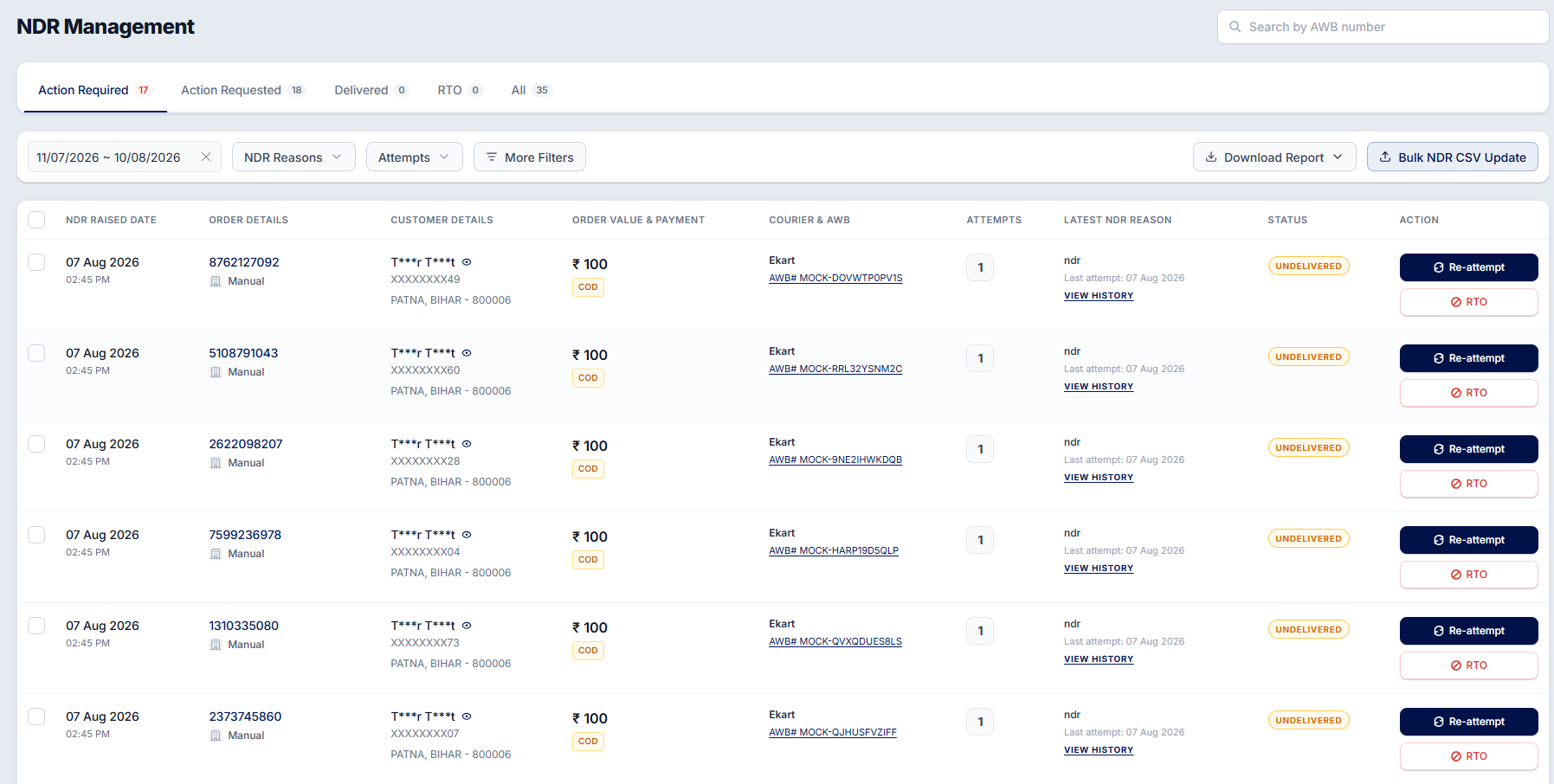
The NDR Management screen lists all your shipments where the courier attempted delivery but could not complete it. For each shipment, you can see:
NDR raised date
Order and customer details
Order value and payment mode
Courier name and AWB number
Number of delivery attempts
Latest NDR reason
Current status
Click View History to see all previous delivery attempts and their reasons.
The page is divided into these tabs:
Action Required – Orders waiting for your response.
Action Requested – Orders where your response has been sent to the courier.
Delivered – Orders delivered after an NDR.
RTO – Orders in the Return to Origin (RTO) process.
All – All NDR orders.
You can also search by AWB and filter orders by date, NDR reason, delivery attempts, and more.
Was this article helpful?
That’s Great!
Thank you for your feedback
Sorry! We couldn't be helpful
Thank you for your feedback
Feedback sent
We appreciate your effort and will try to fix the article