How do I download an NDR report?
Go to the NDR Management page.
Apply any required filters, such as date range or attempts.
Click the Download Report button. Choose Download with PII to include customer personal details (name, phone number, address) in the report, or Download without PII to exclude them. This is useful if you're sharing the report with a third party or want a masked version for internal circulation.
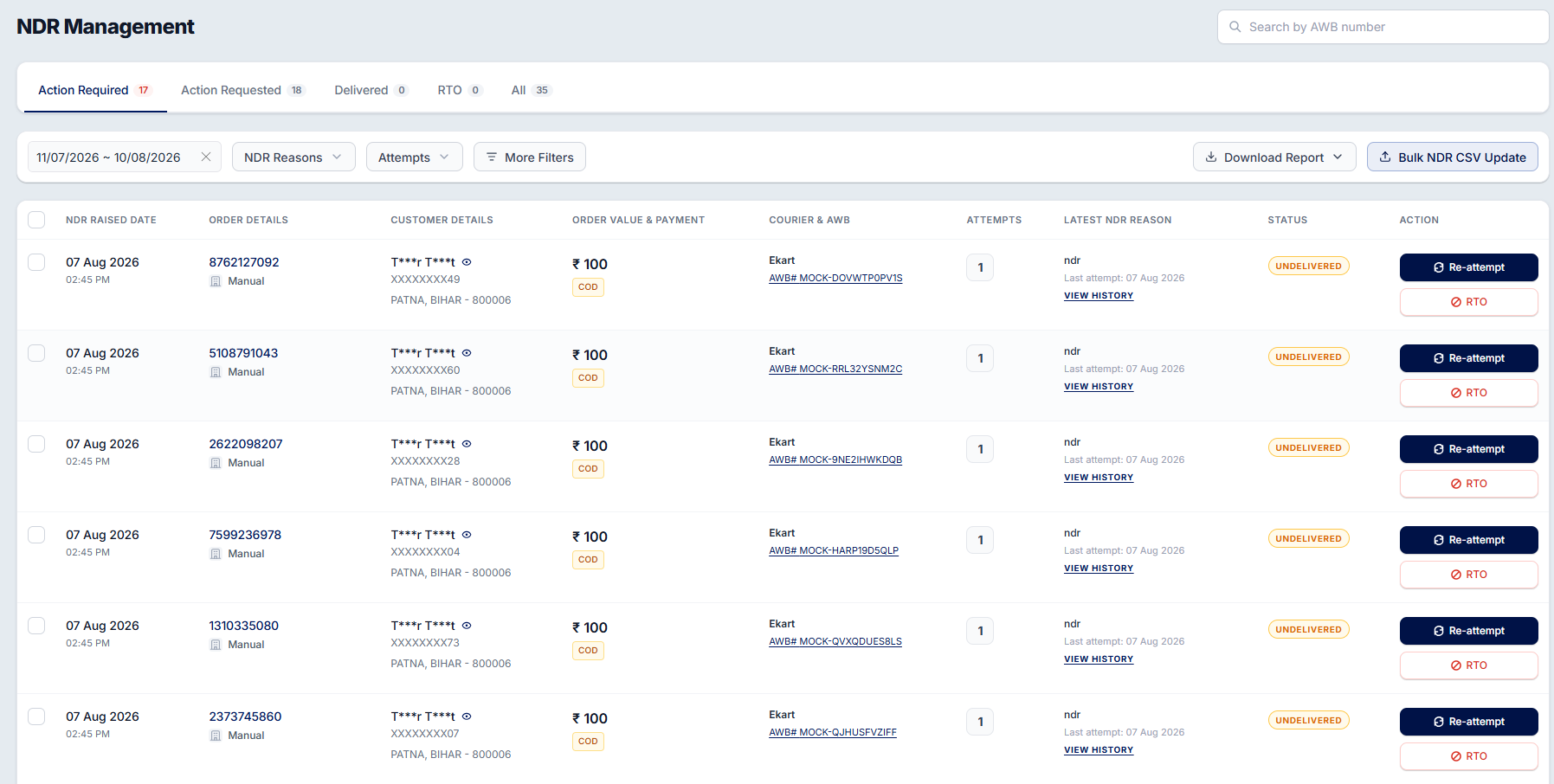
The report will be generated with the NDR details matching your selected filters, allowing you to track and analyze delivery exceptions efficiently.
Was this article helpful?
That’s Great!
Thank you for your feedback
Sorry! We couldn't be helpful
Thank you for your feedback
Feedback sent
We appreciate your effort and will try to fix the article