How do I find orders assigned to a specific warehouse?
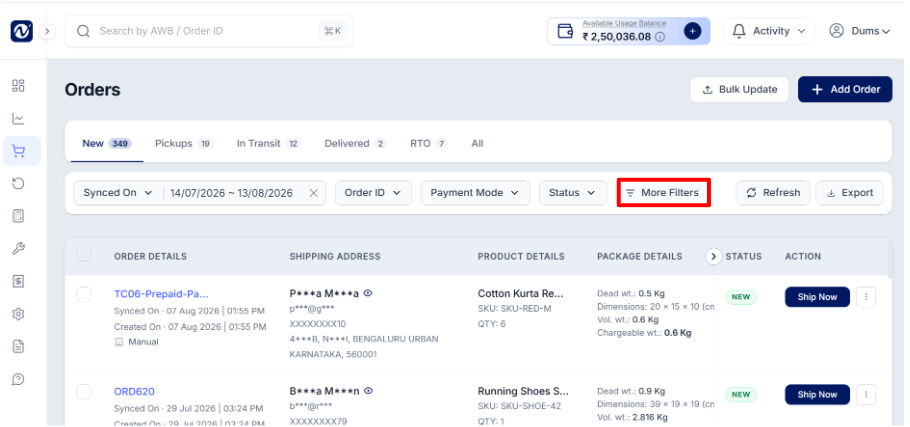
Go to the Orders page and click More Filters.
Under Pickup Address, select the warehouse you want to view orders for.
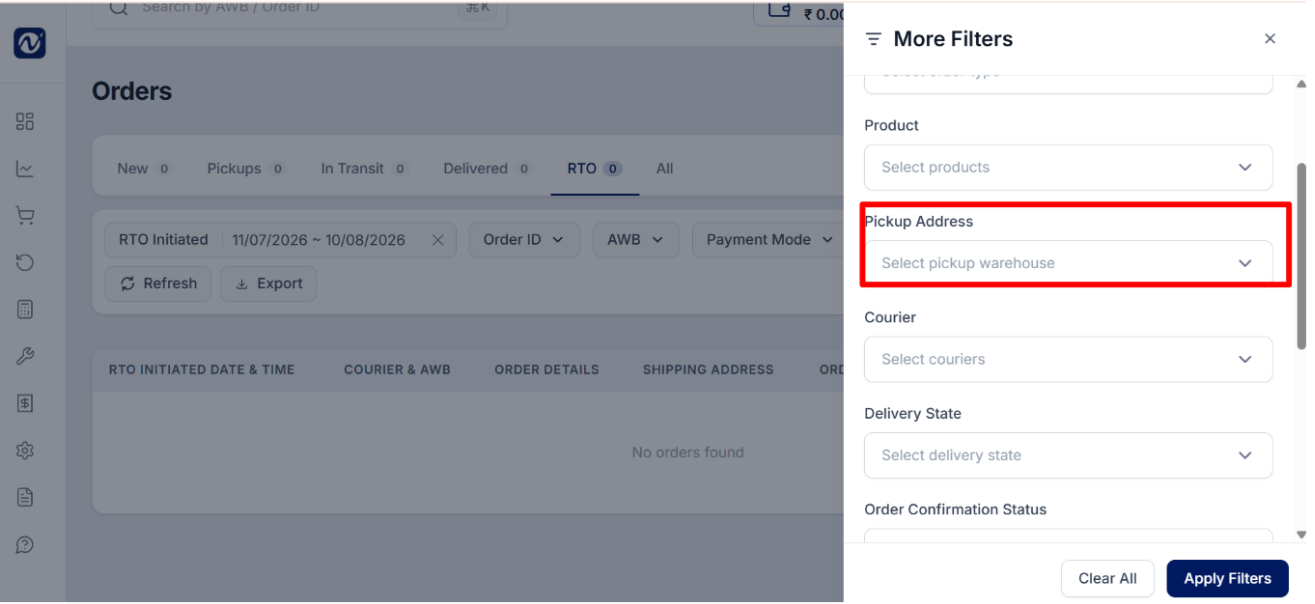
Click Apply Filters.
The order list will update to show only the orders assigned to that warehouse.
Was this article helpful?
That’s Great!
Thank you for your feedback
Sorry! We couldn't be helpful
Thank you for your feedback
Feedback sent
We appreciate your effort and will try to fix the article