What do the different tabs in the order screen mean?
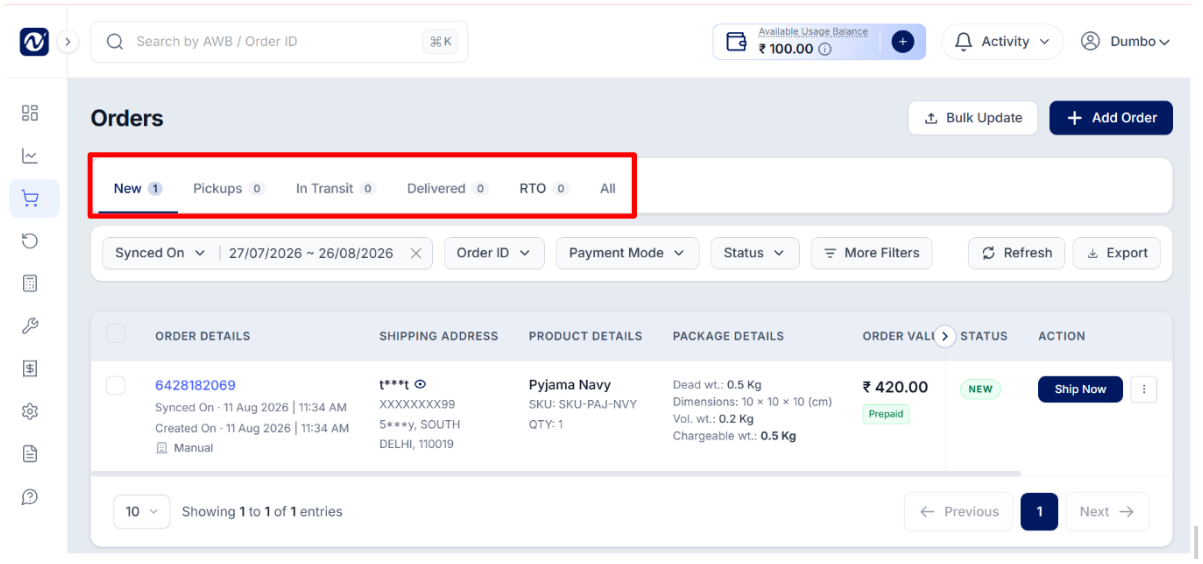
The Orders page has different tabs to help you view your orders at each stage of the shipment journey. Following are the tabs which shows orders with a specific status:
New tab - Lists orders that have been created or imported and are awaiting shipment booking or processing.
Pickups tab - Lists orders that have been booked and are awaiting pickup, or have been picked up by the courier partner.
In Transit tab - Lists orders that are on their way to the customer's delivery address.
Delivered tab - Lists orders that have been successfully delivered to the customer.
RTO (Return to Origin) tab - View orders that are in the RTO process. Use the status filter to see orders at different RTO stages.
All - Displays orders across all statuses in a single view.
Was this article helpful?
That’s Great!
Thank you for your feedback
Sorry! We couldn't be helpful
Thank you for your feedback
Feedback sent
We appreciate your effort and will try to fix the article