What are courier rules and how do I create one?
Courier rules let you set conditions once so orders are automatically assigned to a courier that matches your priorities - cheapest, fastest, or your own custom ranked order - instead of picking manually for each shipment. Useful for assigning couriers to bulk orders.
You can build rules on: COD Value, Payment Mode, Order Total, Chargeable Weight, Delivery Pincode, Pickup Warehouse, Delivery City, State, and Zone. A rule applies only when all its conditions match.
To create one:
Go to Settings > Couriers > Courier Rules and click Create Courier Rule
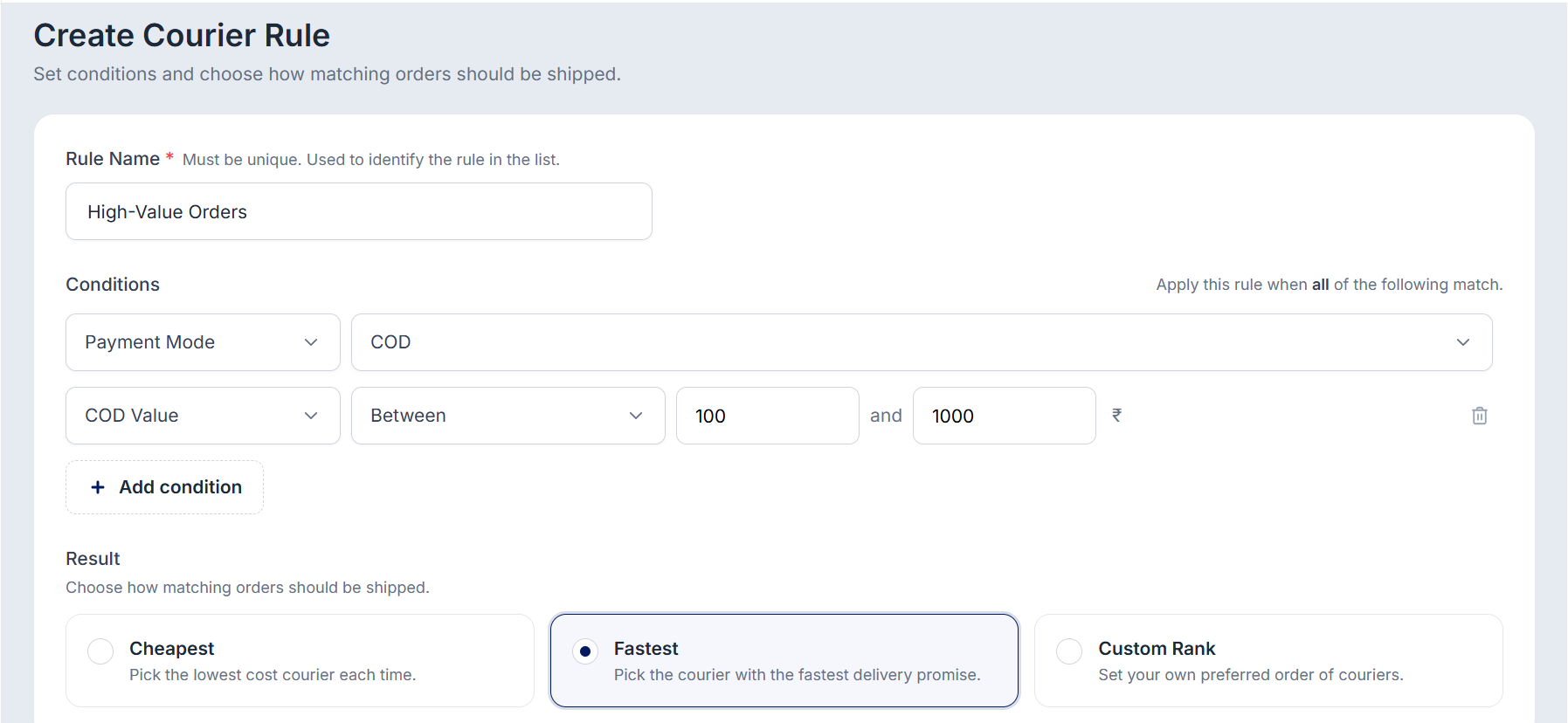
Enter a unique Rule Name.
Add Conditions — set values or ranges, and use + Add condition to stack more (each row has a trash icon to remove it).
Under Result, choose Cheapest (lowest-cost courier), Fastest (fastest delivery promise), or Custom Rank (your preferred courier order).
Click Save Rule.
Was this article helpful?
That’s Great!
Thank you for your feedback
Sorry! We couldn't be helpful
Thank you for your feedback
Feedback sent
We appreciate your effort and will try to fix the article