What are ODA pincodes and how can I block them?
ODA stands for Out of Delivery Area. These are pincodes in remote or hard-to-reach locations where most couriers refuse to deliver. Orders to these areas often fail and come back as RTO, costing you both the forward and return shipping. Blocking them upfront prevents orders from being assigned to a courier that can't reliably deliver.
To block ODA pincodes:
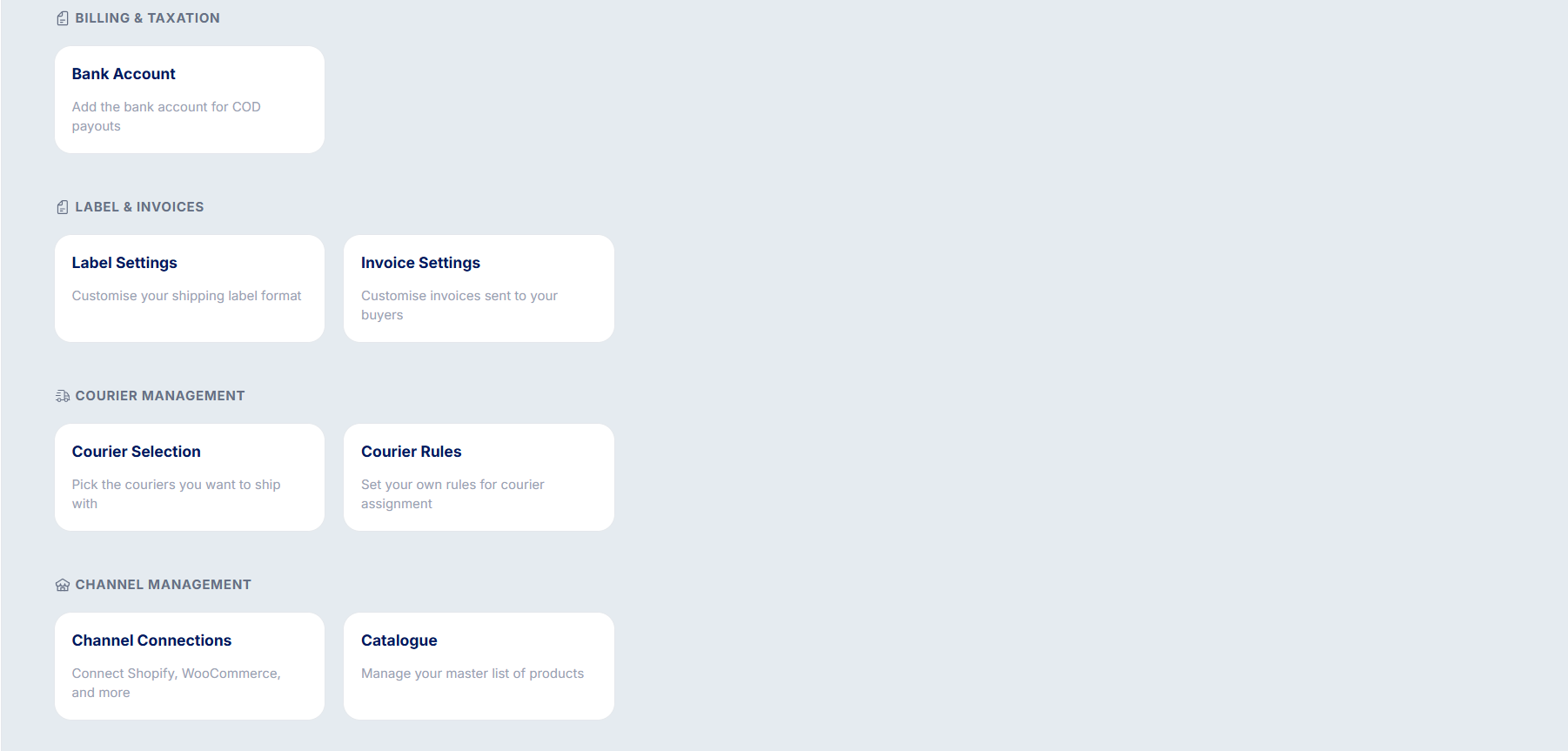
Go to Settings → Courier Selection → Manage Pincodes.
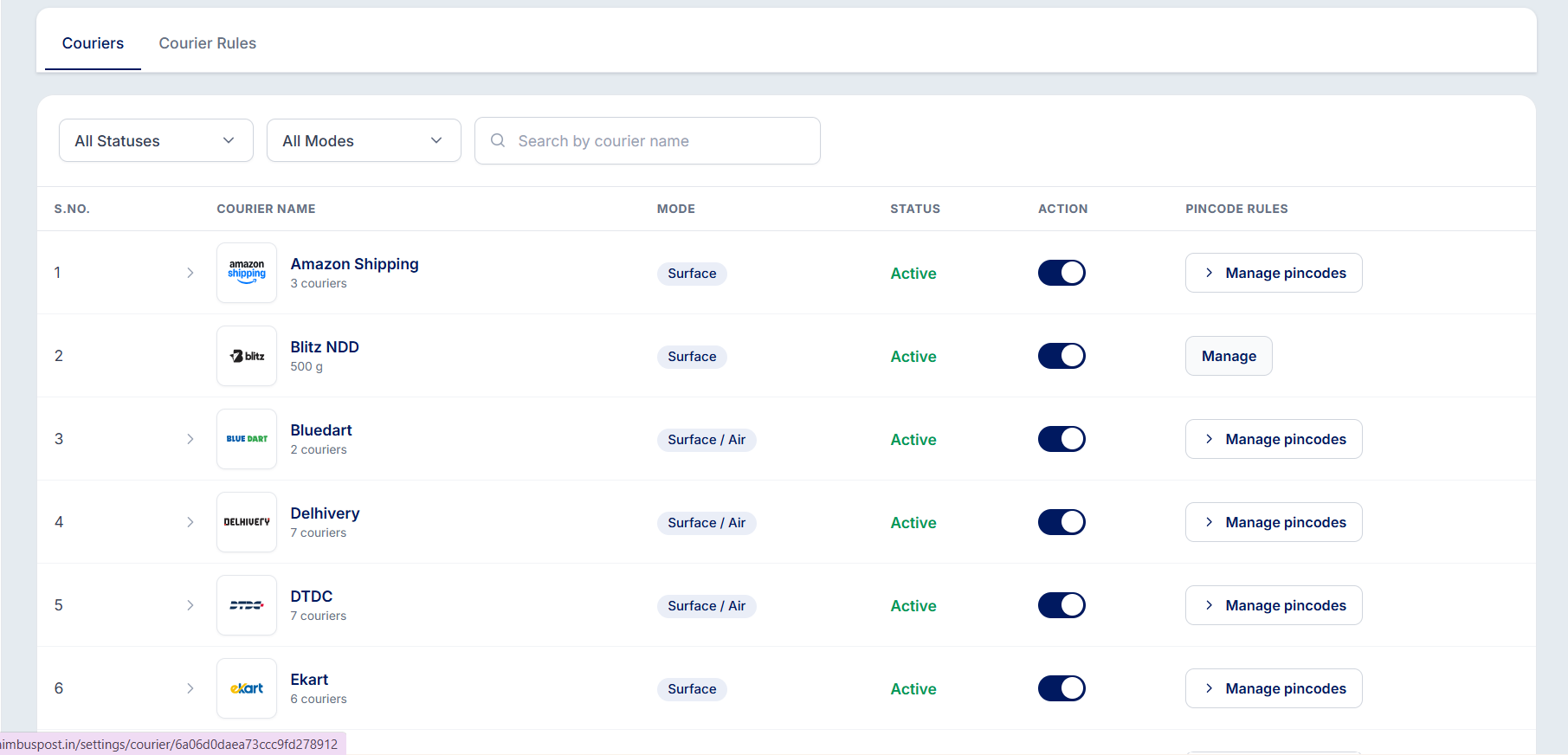
Select Block Pincodes from the dropdown.
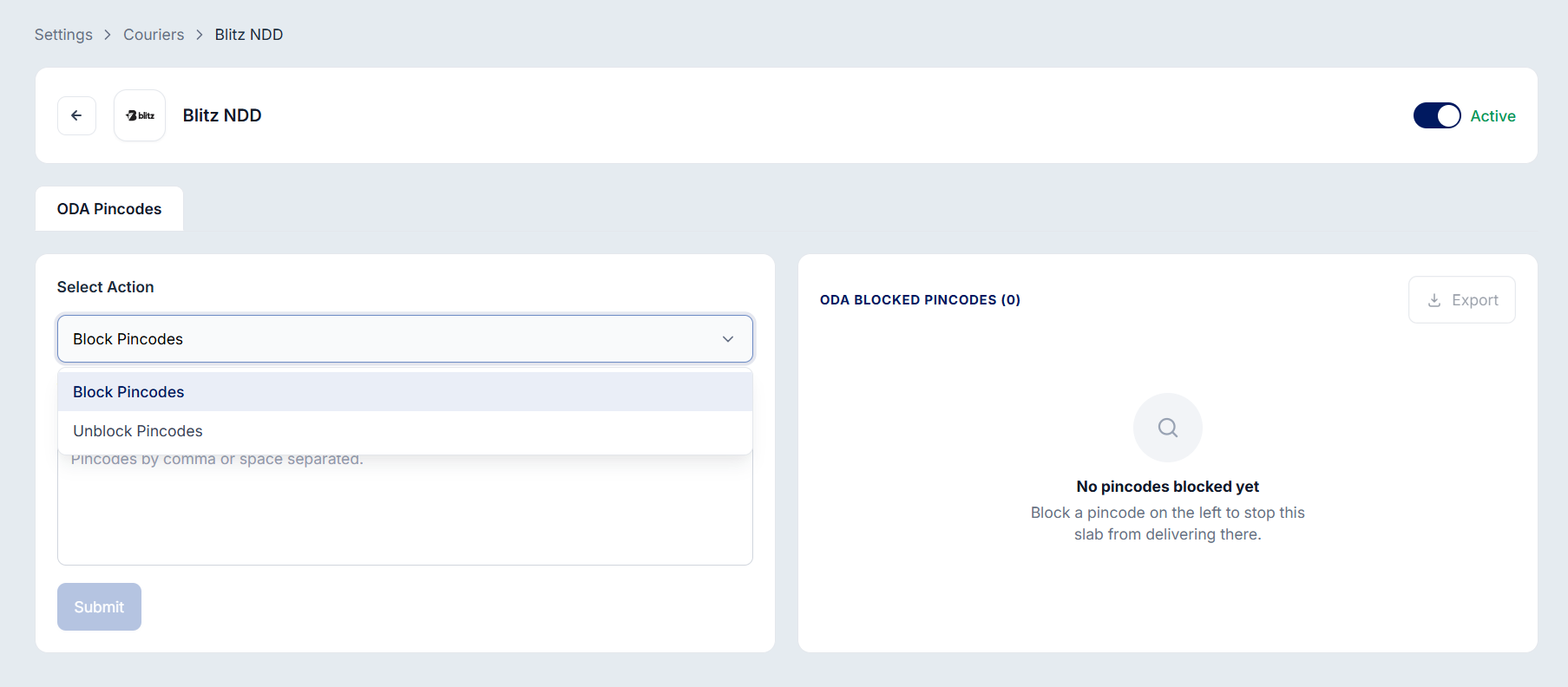
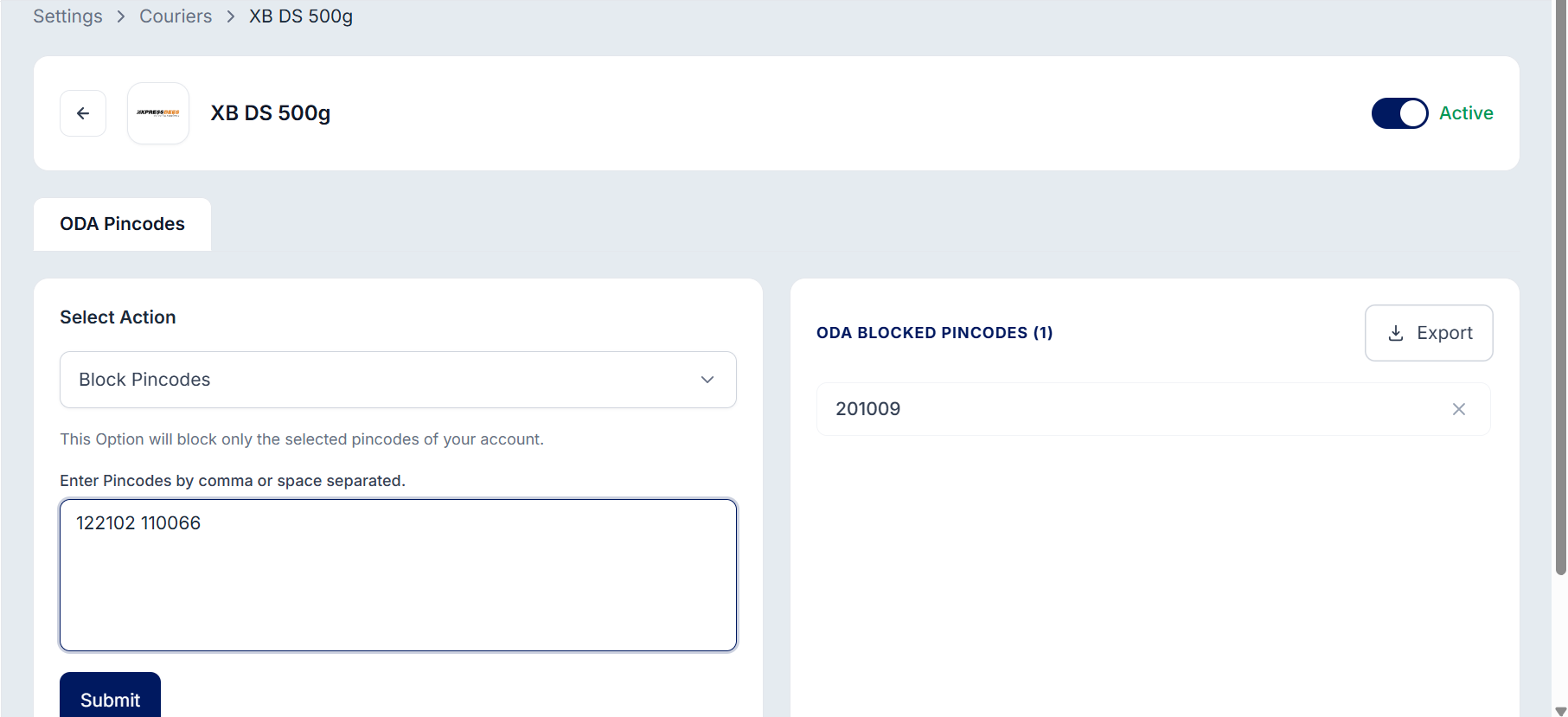
Enter the pincodes you want to restrict for that courier slab.
A few things to note:
Blocking is per courier — you can restrict a pincode for one courier while keeping it serviceable through another.
Restrictions apply only to new shipments; orders already shipped are unaffected.
Use the Export option on the pincode management page to download your blocked-pincode list anytime.
Was this article helpful?
That’s Great!
Thank you for your feedback
Sorry! We couldn't be helpful
Thank you for your feedback
Feedback sent
We appreciate your effort and will try to fix the article