How do I submit my TDS to NimbusPost and get it credited?
If you've deducted TDS on payments made to NimbusPost, you can submit your TDS certificate directly in the panel so it can be reviewed and credited to your account.
To submit:
Go to Billing > TDS and click Create TDS.
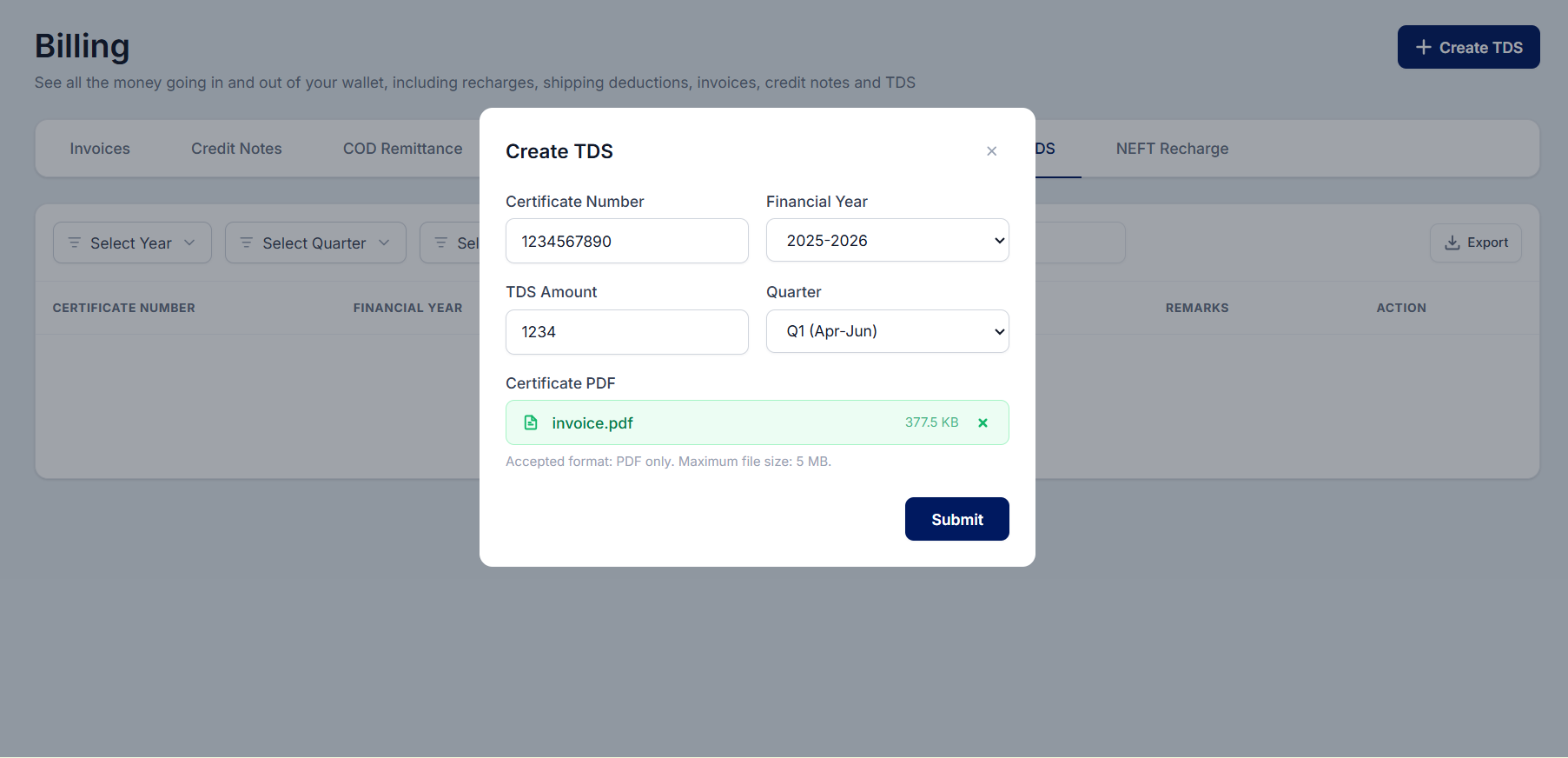
Enter your Certificate Number, Select the Financial Year and Quarter the deduction falls in.
Enter the TDS Amount deducted and Upload your Certificate PDF (PDF only, max 5 MB).
Click Submit.
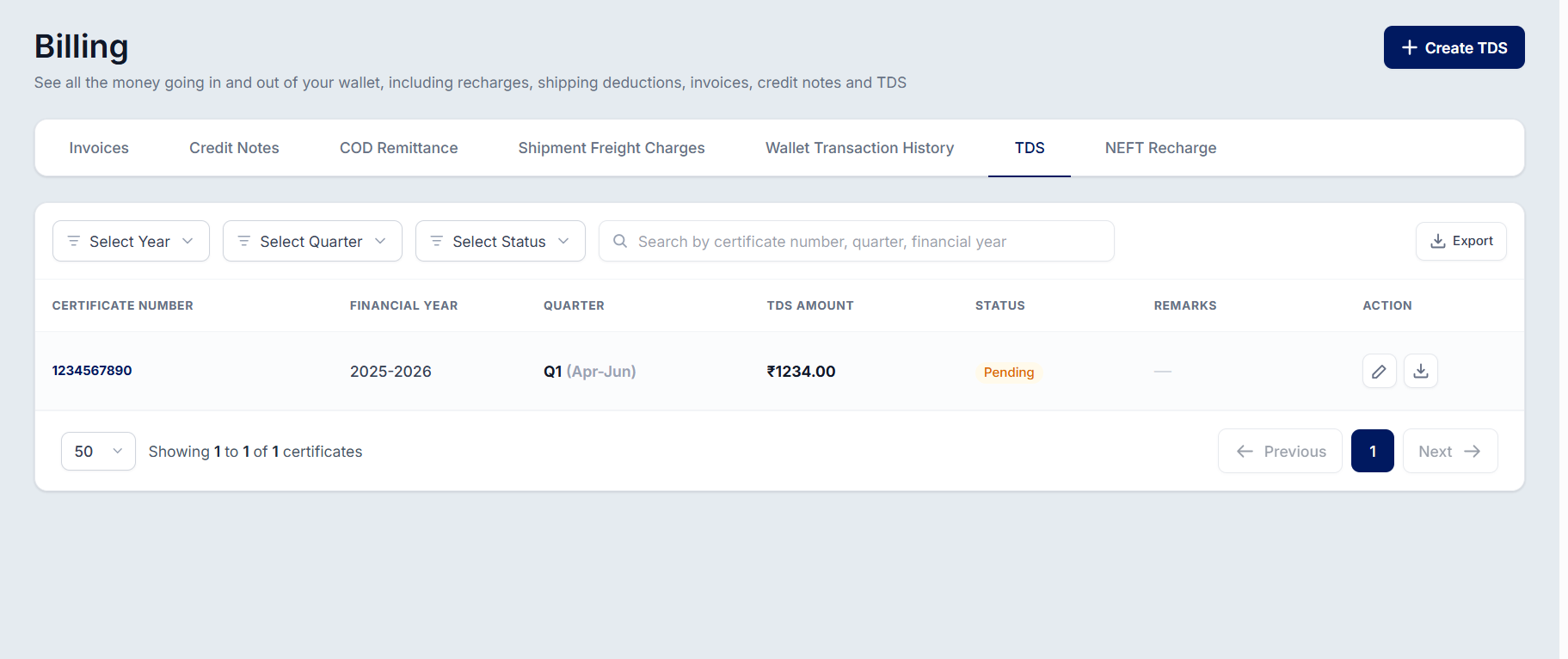
Your submission will appear in the TDS list under the Billing section, where our team reviews it. You can track the status of each submission from the same list. Once approved, the TDS amount is credited to your NimbusPost wallet.
Was this article helpful?
That’s Great!
Thank you for your feedback
Sorry! We couldn't be helpful
Thank you for your feedback
Feedback sent
We appreciate your effort and will try to fix the article