How can I verify my KYC?
You can complete your KYC in one of two ways:
If you have a GST:
Go to Dashboard > KYC Verification and enter your GSTIN.
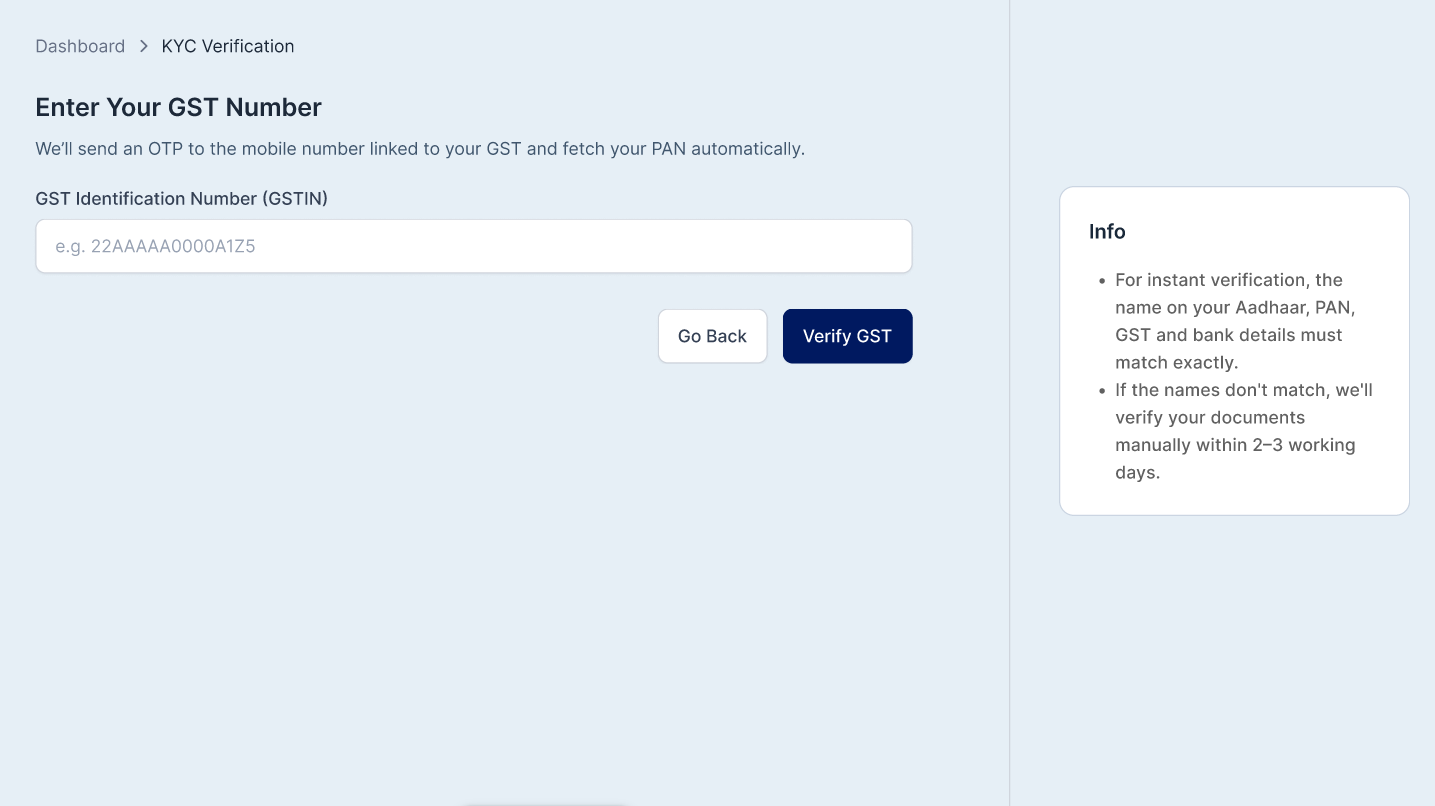
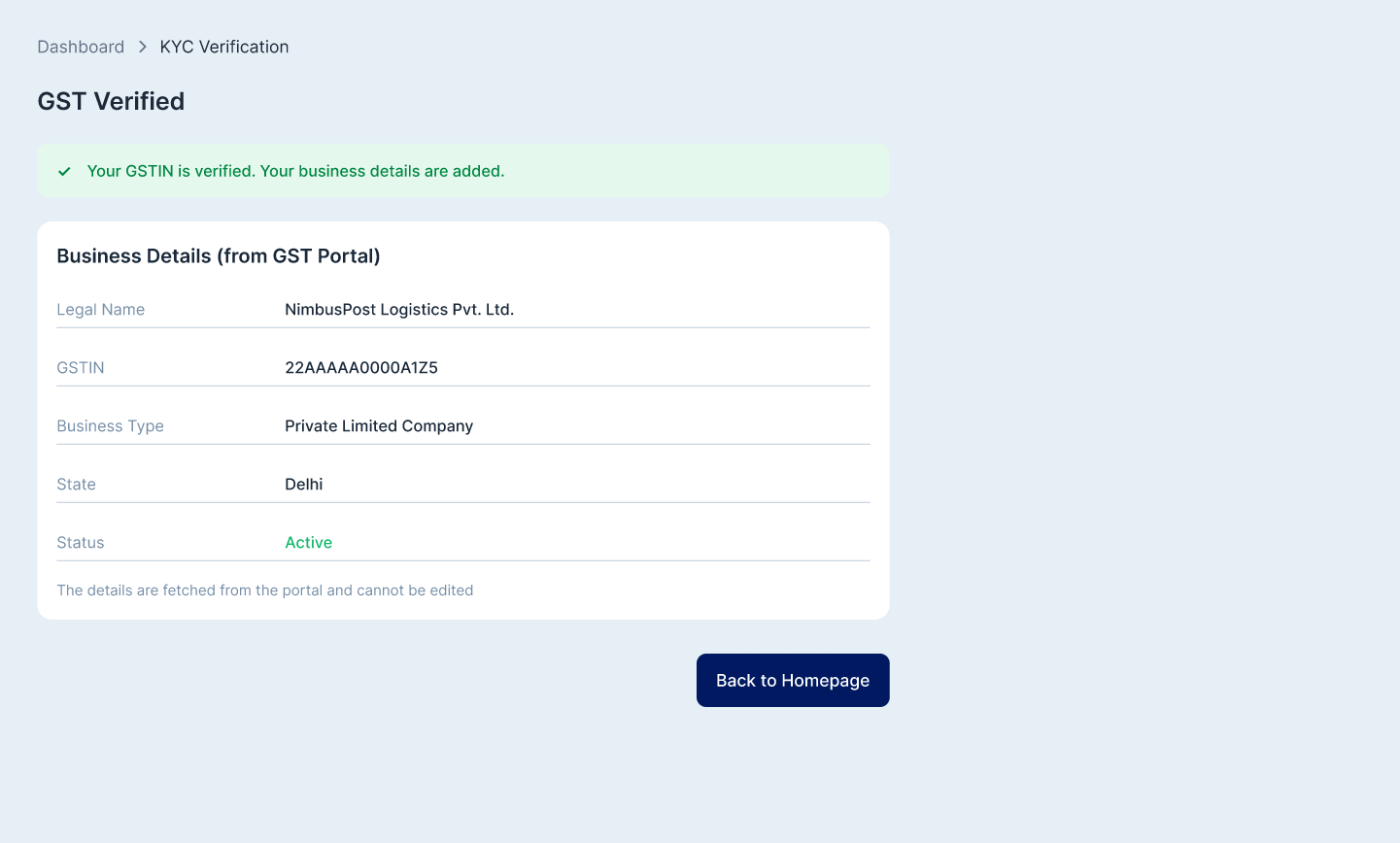
Verify it with the OTP sent to your GST-linked mobile number.
This will automatically fetch your business details.
If you don’t have a GST:
Go to Dashboard > KYC Verification.
Click Verify with DigiLocker.
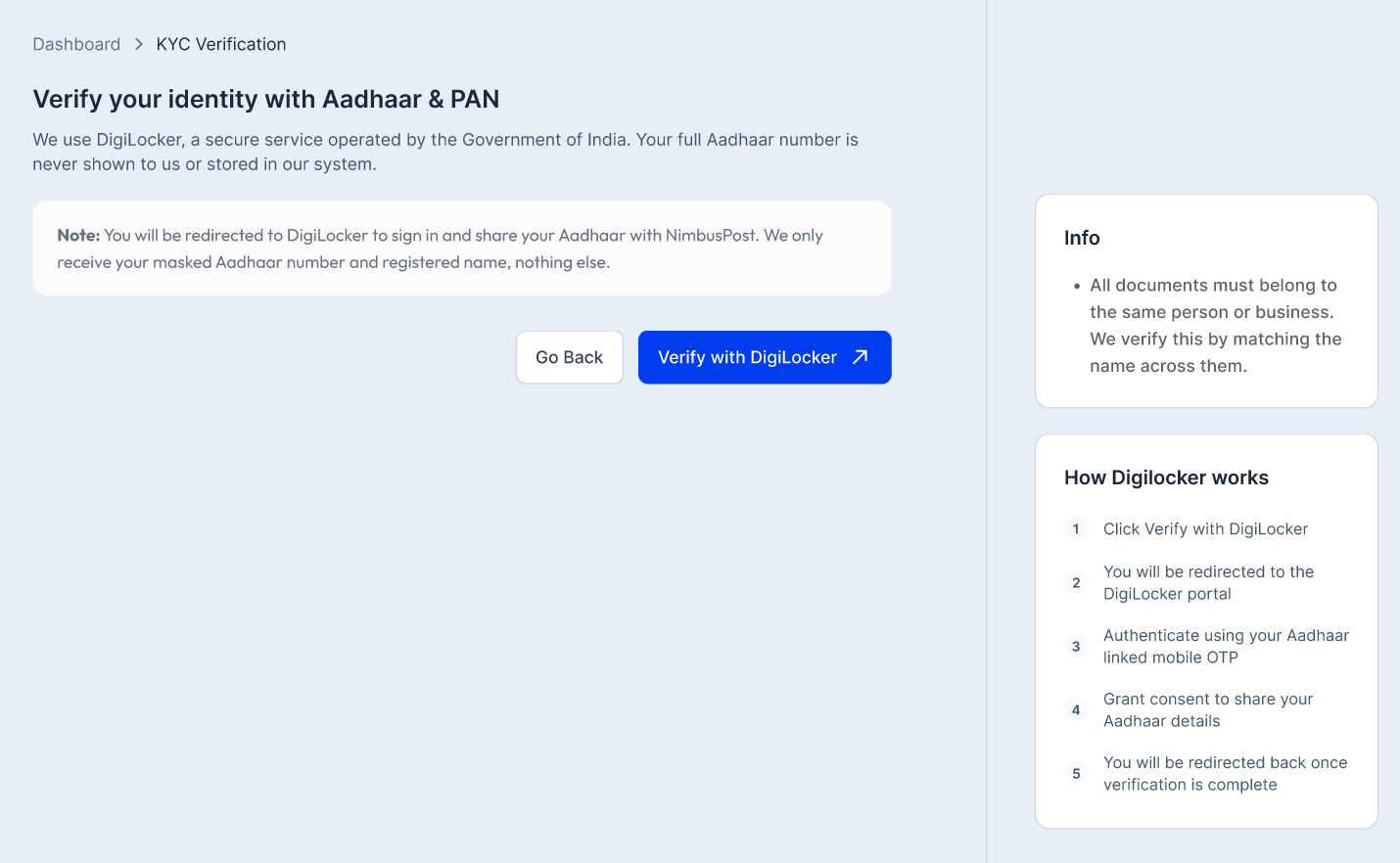
Authenticate using the OTP sent to your Aadhaar-linked mobile number.
Review the details to be shared and provide your consent.
Once your Aadhaar is verified, enter your PAN and click Verify PAN.
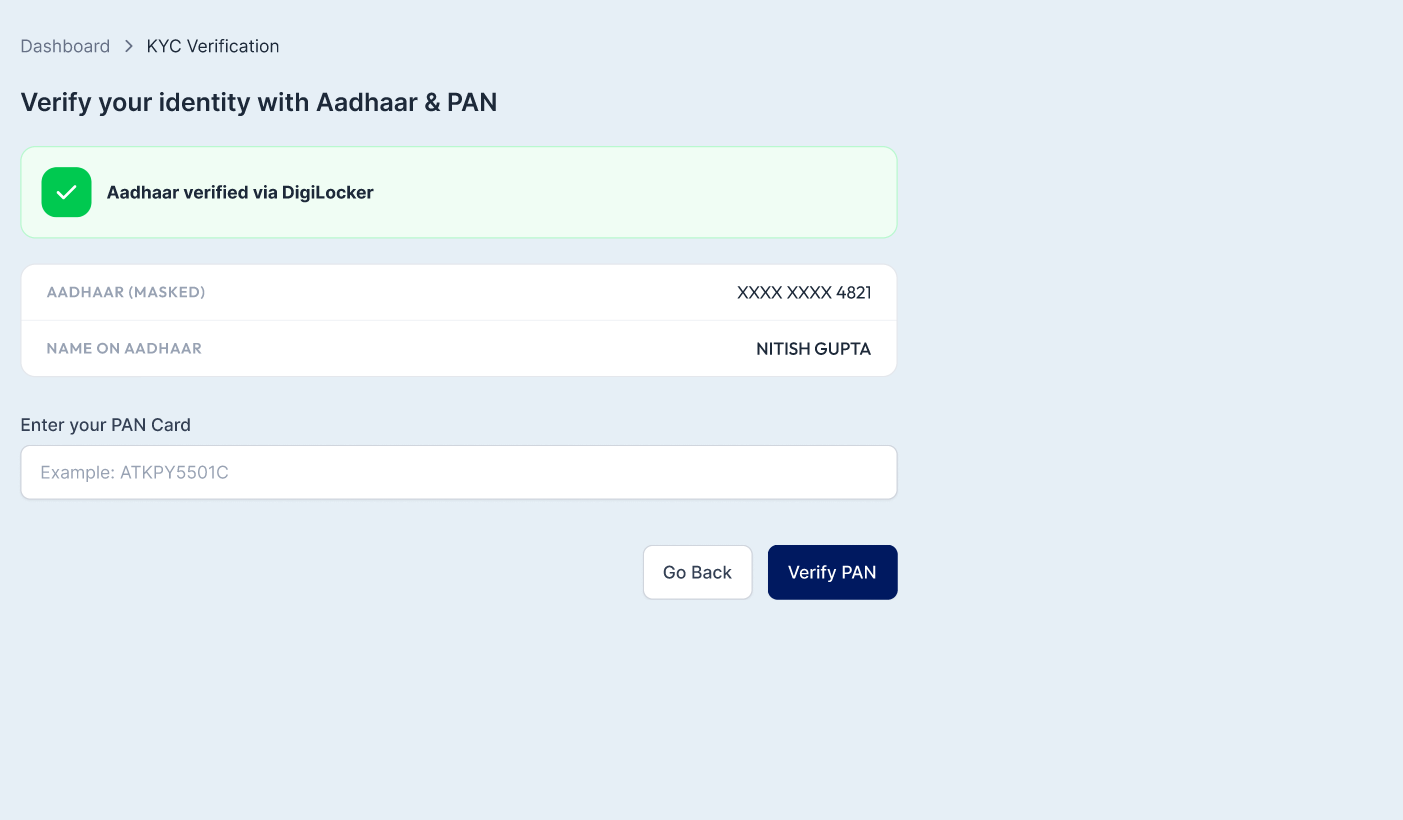
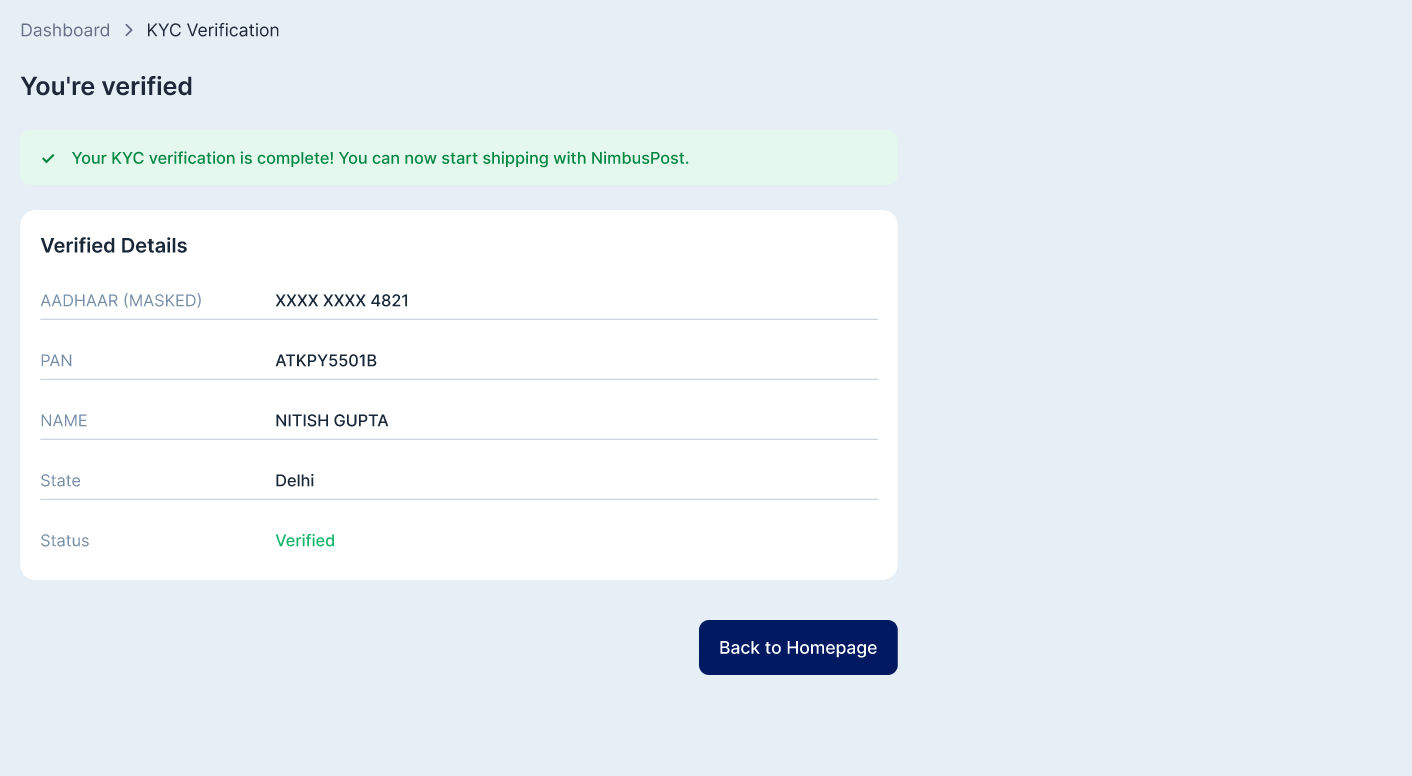
6. After successful verification, your KYC will be completed, and you can start shipping with NimbusPost.
If there's a mismatch in your details, you can switch to manual verification, where our team will review your documents and verify your KYC within 2–3 business days.
Was this article helpful?
That’s Great!
Thank you for your feedback
Sorry! We couldn't be helpful
Thank you for your feedback
Feedback sent
We appreciate your effort and will try to fix the article